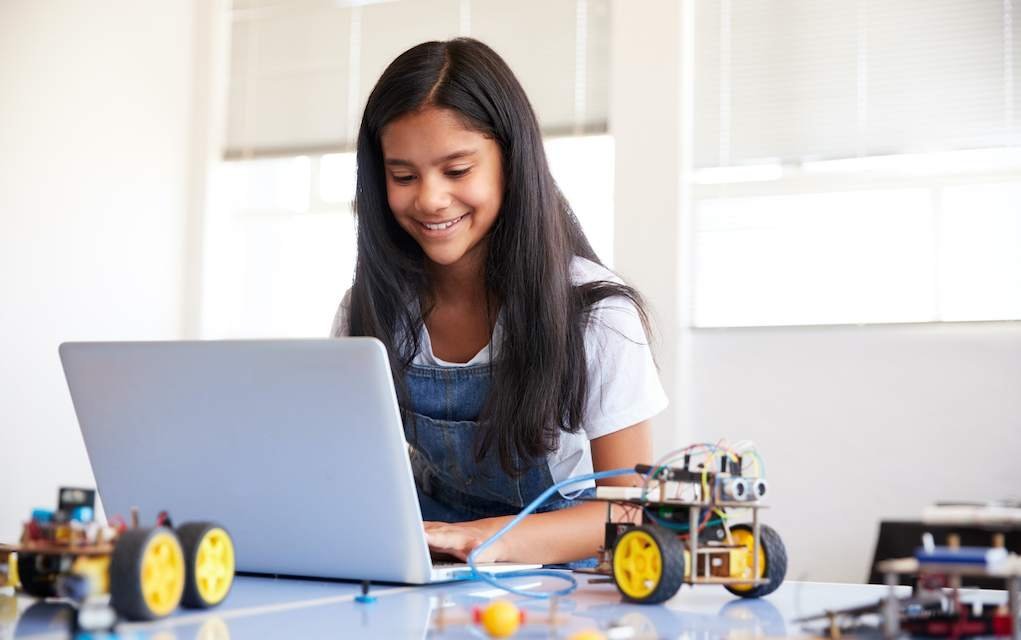
Whether your child is a complete beginner or already keen to try something more challenging, there’s a huge range of free and low-cost tools that make coding for kids genuinely fun. These websites, games and courses turn screen time into something creative and useful, helping children build problem-solving skills, logical thinking and confidence with technology — all while they play.
YOU MAY ALSO ENJOY: Coding for Kids Decoded!
Coding for Kids: Let’s Get Started
Coding helps children of any age develop problem-solving skills, creativity and logical thinking. As they learn through games and challenges, they’re also picking up skills that can support all kinds of future career paths — not just in tech.
Watch: A Quick Introduction to Coding for Kids
[[IMG:1]]
Not sure where to start? Our short video below is a handy introduction if you’re new to the idea of coding for kids and want a quick overview before diving into the resources.
The Best Coding Websites, Games and Courses for Kids
Code.org
Code.org offers numerous free courses for children from preschool age upwards. From designing a game and computer drawing to building a working app or website, there’s plenty to choose from for all ages.
Tutorials, videos and fun games all help children engage with the courses in a way that feels playful rather than like “work”.
Hour of Code

If you don’t have time for a full course or just want a quick coding break, there are dozens of hour-long activities to choose from on Hour of Code.
Take your pick from Dance Party, Minecraft, or character favourites — there’s usually something themed around whatever your child is into. You could even create your own Google logo!
Hour of Code started as a simple way to introduce children to computer science, and has grown into a global initiative supported by major tech and entertainment companies.
Scratch
Scratch is a programming language and online community where children can create and share interactive stories, games and animations with others around the world.
As children create with Scratch, they learn to think creatively, work collaboratively, and reason systematically.
Scratch is aimed at children aged 8–16, but it can be a great starting point for older kids and teens too. Younger children may prefer the simplified version, ScratchJr, first.
CodeMonkey
Write code. Catch bananas. Save the world.
CodeMonkey is an online platform that teaches kids real-world coding languages such as CoffeeScript and Python. Children and teens learn both text-based and block-based coding in a fun, playful environment.
YOU MAY ALSO ENJOY: 14 Science Websites for Kids That Are Sure to Inspire
iDEA
The Inspiring Digital Enterprise Award, known as iDEA, is an international programme that helps young people develop digital, enterprise and employability skills for free.
Through a series of online challenges, children can earn career-enhancing badges and work towards industry-recognised bronze, silver or gold awards. Badges are available across coding, social media, e-safety, virtual reality, blockchain and more.
codeSpark Academy
Interactive puzzles from codeSpark Academy teach little learners the basics of computer science. Once your mini coders master the puzzles, they can create games of their own.
New puzzles and games are added regularly, so kids as young as four can start building skills that support learning across all subjects.
YOU MAY ALSO ENJOY: 11 Brilliant Math Websites for Kids That Make Learning Fun
Looking for even more ideas? Browse our full round-up of online learning resources for kids for lots more ways to keep young minds engaged.
Minecraft: Education Edition
Minecraft: Education Edition is a game-based learning platform that promotes creativity, collaboration and problem-solving in an immersive digital environment.
Through project-based lessons, children build key skills such as collaboration, creative problem-solving and digital citizenship.
EduCode Academy
On EduCode Academy, video micro-lessons break complex computer science concepts like JavaScript or HTML into fun, engaging exercises. Storylines give context and motivation as children work through the material.
YOU MAY ALSO ENJOY: Make and Do for All the Family
Blocksmith
With Blocksmith, children can learn 3D modelling, animation and programming, building towards more advanced programs like Unity3D and Unreal.
Blocksmith doesn’t require special equipment and runs on regular home computers, including Windows PC, Mac and Chromebook.
CodeCombat

CodeCombat is a game that teaches programming to learners as young as six. Using typed commands rather than blocks, players learn to code by working through levels and gradually mastering programming concepts.
Khan Academy
Khan Academy is a non-profit offering free, world-class education through practice exercises, instructional videos and a personalised learning dashboard that lets learners study at their own pace.
Alongside computer programming, Khan Academy also covers maths, science, history, art history, economics and more.
Tynker
Tynker offers a wide range of award-winning block- and text-based courses covering popular coding languages, with a learning path suited to most ages and skill levels.
Children can learn how to mod Minecraft, create apps, control toys, build games, build websites, and pick up popular coding languages.
Code Avengers
Code Avengers Junior, suitable for ages 5–16, helps children build coding skills at home through fun, easy-to-follow courses.
Children learn to logically sequence events, create playable games and model real situations, developing computational and algorithmic thinking along the way. Once they have a strong grasp of the fundamentals, they can move on to languages such as JavaScript and Python.
Compu b for Kids
Compu b offers a range of free, creative classes for kids, covering things like making a vlog, remixing music like a DJ, creating an animation, and more.
Children can also take part in Compu b’s weekly topic-based learning challenges.
YOU MAY ALSO ENJOY: 10 of the Best Educational Apps for Kids Aged 8–12

Frequently Asked Questions
What age should my child start learning to code?
There’s no single “right” age — some of the resources above, like codeSpark Academy and Code Avengers Junior, are designed for children as young as four or five, using simple, visual, game-based coding. Others, like Scratch or CodeCombat, suit children from around age six or eight upwards. It’s best to start with whichever resource matches your child’s current interests and comfort with reading and screens.
Do I need any special software or equipment?
Most of the resources listed here run in a normal web browser on a standard laptop, desktop or Chromebook, so you generally don’t need special equipment to get started. A few, like Blocksmith, are designed specifically to work on regular home computers.
Is coding for kids free?
Many of the platforms above offer free courses or a free tier, including Code.org, Hour of Code, Scratch, iDEA and Khan Academy. Some other platforms may offer additional paid features or premium content, so it’s worth checking each site directly for current details before signing up.
What skills does coding actually teach?
Beyond the technical side, coding helps children build problem-solving skills, logical thinking, patience and creativity. Many of these skills transfer well beyond computing, supporting maths, planning and general resilience when things don’t work first time.
Do I need to know how to code myself to help my child?
No — most of these resources are designed for children to use independently, with guided tutorials, videos and step-by-step instructions built in. You’re welcome to learn alongside your child, but it’s not a requirement.
Related Articles
- Coding for Kids Decoded!
- 14 Science Websites for Kids That Are Sure to Inspire
- 11 Brilliant Math Websites for Kids That Make Learning Fun
- 10 of the Best Educational Apps for Kids Aged 8–12
Save These Ideas for Later
Bookmark this page or save it to your favourites so you always have this list of coding resources handy the next time you’re looking for a screen-time activity with real learning value.
Want More Ideas Like This?
Sign up to our newsletter for a regular round-up of learning ideas, activities and resources to help keep the kids engaged — delivered straight to your inbox each week.