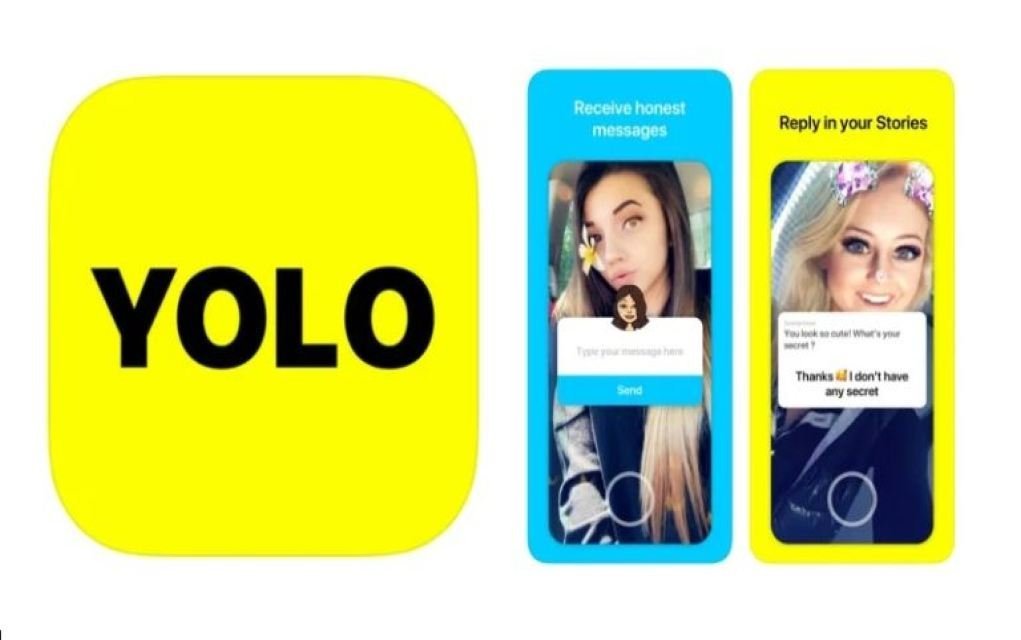
Anonymous messaging add-ons have been popping up around Snapchat for years, and YOLO is one of the best-known examples. It lets followers send anonymous questions or comments through a Snapchat Story, and it’s the kind of feature that can be harmless fun — or a way for things to turn nasty fast, precisely because nobody has to put their name to what they say.
If your tween or teen uses Snapchat, there’s a good chance they’ve come across an app like this. Here’s what parents need to know.
 Looking For More?
These 16 apps parents should be aware of aren’t quite as innocent as they appear – it’s essential reading!
What is the YOLO App?
YOLO is a free app that connects directly to Snapchat rather than working as a standalone network. According to the app’s own description: “YOLO app is an application which lets you receive anonymous questions from your Snapchat followers. After connecting on YOLO App with Snapchat, you will start receiving the anonymous questions from your Snapchat followers. You can answer those YOLO anonymous messages or questions by opening On YOLO messages app.”
In plain terms: it’s an add-on that lets people ask your child questions without revealing who they are.
You May Also Enjoy TikTok: A Parent’s Guide
How Does YOLO Work?
Once connected to a Snapchat account, YOLO adds an “ask me anything” sticker to a Snapchat Story, inviting followers to swipe up and send feedback or questions anonymously. The user can then choose whether to respond to those questions in their Story.
To set it up, users log in with their existing Snapchat username and password rather than creating a separate account. From there, they can send and receive anonymous messages, customise responses with stickers, and share replies back to their Story.
As with any app of this kind, features and availability can change over time, so it’s worth checking the current app store listing before assuming exactly how it works today.

What Do Parents Need to Be Aware Of?
A few things are worth knowing:
Apps like YOLO have carried a 17+ rating on the Apple App Store and a Parental Guidance recommendation on Google Play, even though the terms and conditions typically set a minimum age of 13. In practice, there’s usually no date-of-birth check at sign-up, since the app simply uses an existing Snapchat login to get started — so age limits are easy for a tween to bypass.
The anonymous element is the real thing to watch. Any app that lets people send and receive messages without identifying themselves can be misused, in the same way older anonymous apps like Yik Yak were.
Anonymity tends to bring out the worst in some users, because people feel they can say things without being held accountable. That can open the door to bullying, inappropriate messages, or comments a child would never hear said to their face.
Reporting inappropriate messages or threats has typically meant emailing the app’s developers directly, with little visibility for parents on how quickly — or whether — a report gets a response.
Given all of this, you may decide an anonymous messaging app isn’t right for your child. If they are using one, here’s how to approach it.
You May Also Enjoy ChatStep: A Parent’s Guide
Tips for Parents if Your Tween or Teen is Using the YOLO App
#1. Try it yourself
Ask your tween or teen to walk you through the basics. Seeing it in action is one of the quickest ways to understand what they’re actually experiencing.
#2. Have a conversation again about internet safety
Remind your tween or teen to tell you if they see anything strange or receive an unpleasant message, and to never share personal information with a stranger.
You May Also Enjoy Online Safety for Kids: 5 Simple Lessons to Teach Your Kids Today
#3. Talk about anonymous and what that can mean
Have a frank chat about what it means to ask or answer questions anonymously — and how that can be misused, or misunderstood. What are the risks, in their view?
#4. Talk about cyberbullying and peer pressure
What does cyberbullying mean to your tween or teen? How would they feel receiving a message like that, and what would they do about it? It’s also worth talking about how their own comments online can land with someone else, and how peer pressure can push people into saying or doing hurtful, dangerous, or untrue things — online or off.
#5. Ask your child why they are using YOLO
Is it for validation? To avoid an awkward conversation face-to-face? Their answer might open the door to a bigger conversation you need to have.
#6. Remain vigilant
Even after a good conversation, keep checking in. Stay curious, stay involved, and keep the conversation open rather than treating it as a one-off talk.
You May Also Enjoy One for the Fridge – 10 Tips for Practical Internet Safety
Does your tween or teen use an anonymous messaging app like YOLO? Leave a comment below and let us know – we’d love to hear from you!

Frequently Asked Questions
What is the YOLO app?
YOLO is a free add-on that connects to Snapchat and lets a user’s followers send them anonymous questions or comments, which can then be answered in a Snapchat Story.
Is YOLO safe for tweens and teens?
The anonymity is the main risk. Because messages can’t be traced to a sender, some users feel free to say things they wouldn’t say under their own name, which can lead to bullying or inappropriate messages. There’s also no reliable age check at sign-up, so age limits are easy to get around.
What age is the YOLO app recommended for?
It has carried a 17+ rating on the Apple App Store and a Parental Guidance recommendation on Google Play, though its own terms set 13 as a minimum age. Ratings and store listings can change, so it’s worth checking current details before relying on them.
What should I do if my child receives an unpleasant anonymous message?
Encourage them to come to you straight away rather than respond. Talk through what happened, avoid engaging with the sender, and look at the app’s own reporting options, which have typically involved emailing the developers directly.
Related Articles
If this was useful, you might also want to read:
- 16 Apps Parents Should Be Aware Of
- TikTok: A Parent’s Guide
- ChatStep: A Parent’s Guide
- Online Safety for Kids: 5 Simple Lessons to Teach Your Kids Today
- One for the Fridge – 10 Tips for Practical Internet Safety
Save This for Later
Online safety conversations work best when you can come back to them. Bookmark this page or save it somewhere handy so you can revisit the tips next time a new app comes up.
Want More Like This?
Sign up for our free monthly newsletter for practical parenting tips, family ideas, competitions and offers — straight to your inbox, no spam, easy to unsubscribe.