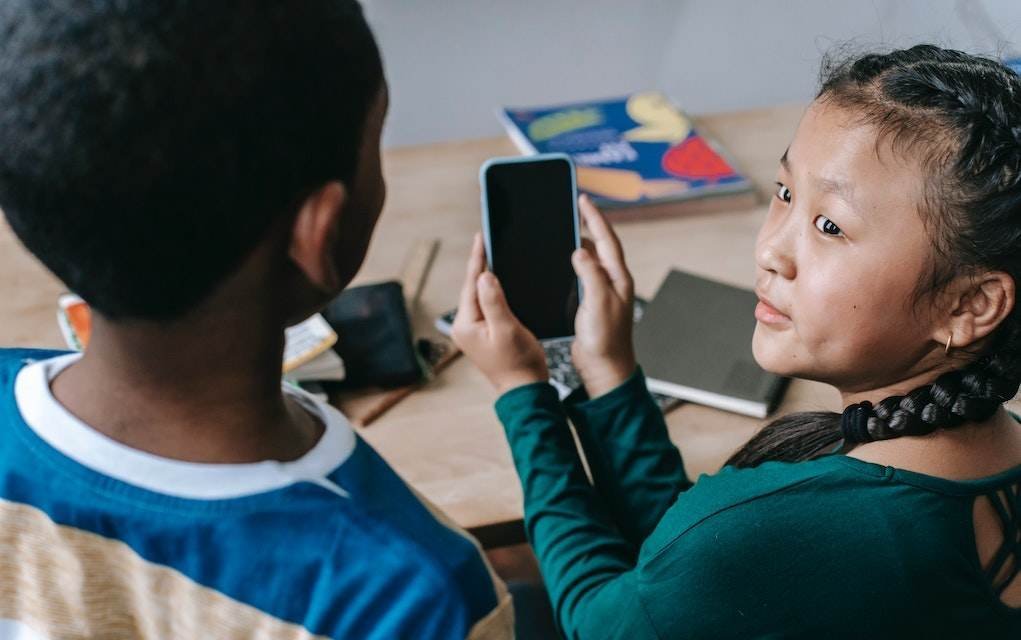
We all want our tweens to come away from screen time having learned something, not just cleared another level. So we asked families to try out apps with their 8-12 year olds and tell us what actually worked. Here are 10 of the best educational apps for kids aged 8-12, according to them.
Some guilt-free screen time is always welcome — the kids get to have fun, and you can feel good knowing they’re picking up new skills, testing their knowledge, or discovering a subject they might not meet at school. The apps below cover everything from maths and science to languages, so there’s likely to be something for every kind of tween.
You May Also Enjoy: 16 Risky Apps Parents Should Be Aware Of (and Why!)
Best Educational Apps for Kids Aged 8-12
#1. Learn French MindSnacks

Learn French MindSnacks turns vocabulary practice into a series of quick, playful games rather than dull flashcards. Kids build word knowledge, practise verb conjugation, and get to grips with word gender, all while unlocking new games as they progress. Native speaker audio clips help make tricky French pronunciation less intimidating.
“Having not done French since secondary school, I found it good for testing day-to-day words. Anything that helps improve even basic French is good, and the pronunciation on the app is very clear, which is great. My son enjoyed the app and has been trying out new words every day.” – Reviewed by Susan
Available for iOS
You May Also Enjoy: 20 of the Best Educational Apps for Preschoolers
#2. Squeebles Times Tables

Squeebles Times Tables makes practising times tables genuinely fun, with seven different game modes plus a training area that teaches as well as tests. Kids rescue Squeebles characters from the Maths Monster and earn turns on mini-games as a reward. A parent area lets you keep an eye on progress and tailor the learning experience.
“My 8 year old son thought it was easy to use and fun, and I liked that it had a parent area.” – Reviewed by Sara
Available for iOS and Google Play
#3. Tappity

Tappity turns science into an interactive adventure — kids guide the science experiments themselves rather than just watching. It covers a wide range of science topics, from foundational concepts to hands-on activities, all narrated by a friendly guide who breaks ideas down for kids. After each lesson, parents get an email with discussion questions based on what their child has covered.
“We downloaded the app on our iPad and my 9 year old daughter has really been enjoying the videos and experiments.” – Reviewed by Emily. (You can also read what our family reviewers thought of Tappity.)
Available for iOS. Tappity offers a free trial before moving to a paid subscription — check the app for current plans and pricing.
#4. Math Puppy

Math Puppy is a maths skills app built around two game types — Bingo and Challenge — alongside an animated calculator and five game modes covering addition, subtraction, multiplication, division, and a mixed mode. With three difficulty levels, it’s designed to suit a range of abilities from early primary right through to older kids.
“My 9 year old enjoyed this for a while, the Bingo part in particular, then her attention wavered a bit with it.” – Reviewed by Aoife
Available for iOS
#5. 3D Brain

With 3D Brain, kids can rotate and zoom around a detailed model of the brain using just their fingers. The app explains what each region does, what happens when it’s injured, and links out to further reading for curious minds.
“My daughter aged 12 said she recognised it from having used it at school and said they had also used a similar app for looking at how lungs worked. She said, ‘It’s cool because it’s very visual — you can see all the different parts of the brain and it has lots of information. I like how you can move the image around.'” – Reviewed by Jane
Available for iOS and Google Play
#6. Long Division Touch

This app breaks down the mechanics of long division step by step, using a touch interface where kids drag digits into place, slide decimals, and identify repeating decimals as they go. Lessons cover the basics through to trickier territory like remainders, decimals, and repeating decimals.
“My daughter aged 11 tried the app out and liked it but felt it was best for someone starting out with long division rather than for her class, who have been doing it for 2 years.” – Reviewed by Jill
Available for iOS
You May Also Enjoy: 10 Fun Apps for Tweens
#7. Monkey Maths

Kids race to beat Mean Monkey to Banana Cradle, travelling through enchanted islands and testing their skills in addition, subtraction, multiplication and division along the way. Each equation solved brings them a step closer to victory, with multiple levels per island to work through.
“My 8 year old loved the game, but you have to be quick to answer. The next level unlocks as you complete each level. He sometimes got frustrated at speed, particularly as he progressed to more difficult levels, as he needed time to work out the answer. The equations repeat regularly throughout a level, particularly if you got it wrong previously. Would be nice to be able to slow the game down for younger players, so they could progress through levels.” – Reviewed by Marie
Available for iOS and Google Play
#8. Cúla4

Cúla4 offers a wide range of Irish language content for pre-school and primary school aged kids, making it a handy way to build up cúpla focal at home. The app lets younger viewers watch Irish language content whenever suits — including versioned favourites and original Irish language series covering science and nature.
“Great — good sound and photography! Makes my child laugh! All good, cúpla focal freisin.” – Reviewed by Roísín
Available on iOS and Google Play
#9. Inventioneers

With the help of the Inventioneers — a team of helpers each with their own special skill — kids build weird and wonderful inventions, unlocking new parts as they solve puzzles along the way. It’s a fun way to introduce real physics concepts like air, fire, magnetism and momentum. One nice touch: it’s a one-time purchase, with no recurring in-app purchases.
“My daughter liked Inventioneers because she was playing games, and I liked the invention aspect but the fact that it is teaching them about science at the same time.” – Reviewed by Martha
Available for iOS and Google Play
#10. Little Alchemy

Little Alchemy starts kids off with four basic elements and challenges them to combine them into hundreds more. Every pairing is a small puzzle to solve, and the fun is in the experimenting — what happens when you mix these two things? It’s also available to play on desktop at the Little Alchemy official website, and signing in lets you sync your progress across devices.
“It’s a bit addictive. It’s fun to experiment and see what each pair of elements makes. I liked trying to reach the goal.” – Reviewed by Fern (10)
Available for iOS and Google Play
You May Also Enjoy: Free Science Apps for Kids

Frequently Asked Questions
Are these apps free to use?
It varies. Some, like Squeebles Times Tables, Math Puppy, 3D Brain, Monkey Maths, Cúla4 and Inventioneers, are either free or a one-off purchase. Others, like Tappity, offer a free trial before moving to a paid subscription. Always check the app store listing for current pricing before downloading.
What age group are these apps best suited to?
All ten were chosen with 8-12 year olds in mind, though several — like 3D Brain and Little Alchemy — work well for older primary and younger secondary kids too, depending on their interests.
Are these apps available on both iPhone and Android?
Most are, but not all. A few, including Learn French MindSnacks, Tappity, Math Puppy and Long Division Touch, are currently iOS only. Check the links above for what’s available on your device.
Should I supervise my child while they use these apps?
As with any app, it’s a good idea to check the privacy settings, in-app purchase options and age rating before handing it over, and to have a chat with your child about what they’re using. These reviews reflect real families’ experiences, but every child and device setup is different.
Related Articles
- 16 Risky Apps Parents Should Be Aware Of (and Why!)
- 20 of the Best Educational Apps for Preschoolers
- 10 Fun Apps for Tweens
- Free Science Apps for Kids
Save This for Later
Found an app your tween loved? Bookmark this page or share it with another parent who’s hunting for screen time that actually earns its keep. And if you’re always on the lookout for fresh ideas, ways to keep the kids learning, and things to do together as a family, our newsletter is a good place to start.
Don’t miss our best content straight to your inbox! Sign up now and get our FREE newsletters packed with fun ideas and things to do with the kids, family-friendly recipes, expert advice, parenting tips, and great competitions.