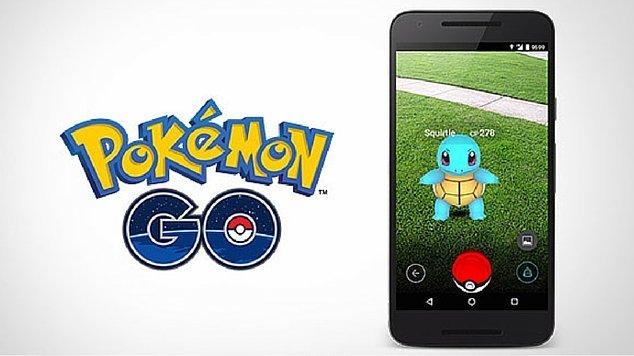
Has Pokémon GO made its way into your house? If your kids are wandering the garden holding a phone in the air and talking about “catching” something, it’s worth knowing how the game actually works — and how to help them play it safely.
Here’s what parents should know about Pokémon GO, from how it works to practical tips for keeping kids safe while they play.
Sign up for our free newsletter and follow MyKidsTime on Facebook, Instagram and Pinterest for more parenting tips and family ideas.
What Is Pokémon GO?
Pokémon — short for Pocket Monsters — first appeared as a Nintendo game back in the 1990s. Pokémon GO is a free-to-play, location-based augmented reality game built for smartphones, using your device’s GPS and camera to make virtual creatures appear as if they’re in the real world in front of you.
Years after its original launch, Pokémon GO remains a genuinely popular game with both kids and the parents who remember the original versions from their own childhood. One of its nicer features is that it gets players up, walking, and outdoors rather than sitting still indoors.

Age Ratings
Developers Niantic require players to be over the age of 13 to sign up independently. Their terms state that if you are the parent or guardian of a child under 13, you are agreeing to the terms on behalf of yourself and your child.

Parents of children under 13 need to authorise their child’s account by confirming they are the parent and consenting to the account’s creation. Without that consent, the child’s account won’t be authorised. If a parent later wants to delete a child’s account, that also needs to be requested directly through Niantic.
Pokémon GO also carries an age rating on app stores due to mild fantasy violence — it’s worth checking the current rating shown on the App Store or Google Play listing before your child downloads it, as ratings can be reviewed and updated over time.
How To Sign Up
Players need an existing account with one of several services to register and play — options have included a Google Account, a Pokémon Trainer Club account (which can be created for free), and a Facebook account. Sign-in options can change over time, so it’s worth checking what’s currently offered on the sign-up screen.
There were early concerns that signing up via a Google Account gave Pokémon GO broad access to a user’s Google data. Niantic clarified that the app only accesses basic information — your Google ID and email address. It’s still good practice to read through Niantic’s current privacy terms before registering, since these are updated from time to time.
How To Play
Players first create an avatar — for safety, your child shouldn’t use their real name here.
You’ll then see a map showing your location along with PokéStops and Pokémon Gyms. PokéStops give players items like eggs, Poké Balls and potions, while Gyms are where Trainers can train and compete — these are often set at public meeting spots.
There are many types of Pokémon, each with different moves, abilities and stats. The goal is to capture as many Pokémon as possible and battle at Gyms to build up your standing as a Trainer.
As you move around, your phone will vibrate to let you know a Pokémon is nearby, and you throw a Poké Ball to try to catch it.
What Do You Play Pokémon GO On?
Pokémon GO is available for iOS and Android devices. Only ever download it from the official App Store or Google Play — unofficial or modified versions of the app do circulate, and these can carry security risks.
How Much Does It Cost?
The game itself is free to download and play. However, it does offer in-app purchases, which can add up quickly if left unchecked. Make sure in-app purchases are switched off, or protected by a passcode, before handing the phone to your child.
Pokémon GO on YouTube
There’s an official Pokémon GO YouTube channel with gameplay tips and updates, along with plenty of fan-made tutorial and gameplay videos from other creators. If your child enjoys watching Pokémon GO content, it’s worth previewing a channel together first so you know what they’re watching.
Recommended Reading: Ultimate Technology Guide for Kids & Their Parents
Tips for Parents if Kids Are Playing Pokémon GO
#1. Play It Yourself
The best way to understand any game your child is playing is to try it yourself, or better still, play it together.

#2. The App Uses Location Tracking
The game needs GPS switched on to work, which means it can track exactly where your child is while they’re playing. Be aware of this and factor it into your family’s device and privacy settings.
#3. Set Guidelines About Exploring Places
Pokémon GO encourages players to explore real-world locations to find Pokémon. Before your child plays, agree some ground rules about where they can go — if they want to head beyond your neighbourhood, consider going with them.
The in-game map can also lead players toward private property, so make sure your child understands they should never enter private land without permission.
Recommended Reading: 10 Tips for Being a Webwise Parent
#4. Remind Them of Real-World Safety
Because the game is played while walking around, remind your child to keep their head up and stay aware of traffic and other hazards. Games like this that encourage movement outdoors are great for activity levels, but they do call for a bit of extra awareness — remind kids not to play while crossing roads or in places where they need to concentrate on their surroundings.

#5. Know Who They’re Meeting
Because the game encourages exploring new places, there’s also the potential for meeting strangers, including through social or meet-up groups built around the game. Talk through clear guidelines with your child about this, and if they’re playing with friends, make sure you know exactly who they’re with.
Recommended Reading: 5 Tips for Parents on Smartphone & Tablet Safety
#6. Turn Off In-App Purchases
The game itself is free, but turning off in-app purchases (or locking them behind a passcode you control) protects against surprise charges.
#7. Keep an Eye on What They Do
It’s good practice to check in with your child now and then while they’re playing, just to be sure they’re sticking to the guidelines you’ve agreed together.
#8. Control How, What and How Long
As with any screen-based activity, the key is managing how your child uses the game, what they’re doing in it, and how much time they spend playing.

Recommended Reading: How Much is Too Much Screen Time? & Tips for Managing It
#9. Monitor Power Usage & Mobile Data
Pokémon GO is demanding on battery life, and can use a good chunk of mobile data when played outside the house. If your child (or you) is on a limited data plan, keep an eye on usage.
#10. It’s Not All Bad!
There’s a genuine upside here: the game gets players outdoors, moving, and interacting socially with others. Battles are mild and cartoonish, which makes a nice change from the more intense combat found in many other games aimed at kids.

Frequently Asked Questions
Is Pokémon GO safe for kids to play?
It can be, with some parental involvement. The main risks come from real-world hazards while walking and playing, location tracking, and the potential to meet strangers through in-game social features. Agreeing ground rules and playing alongside your child, especially early on, goes a long way.
What age is Pokémon GO suitable for?
Independent sign-up requires players to be 13 or over under Niantic’s terms of service. Younger children can play with a parent’s authorisation and involvement. Always check the current age rating shown on the App Store or Google Play listing.
Does Pokémon GO cost money?
The app itself is free to download and play. It does include optional in-app purchases, so it’s worth switching these off or locking them with a passcode.
Does Pokémon GO track my child’s location?
Yes — the game requires GPS to function, which means it can show where a player is while the app is in use. This is worth factoring into any family conversation about the game.
Can my child play Pokémon GO with friends?
Yes, and playing with friends is part of the fun for many kids. As with any social activity online or off, it’s best to know who your child is meeting up with and where.
Related Articles
- Ultimate Technology Guide for Kids & Their Parents
- 10 Tips for Being a Webwise Parent
- 5 Tips for Parents on Smartphone & Tablet Safety
- How Much is Too Much Screen Time?
- Tips for Managing Kids’ Screen Time
Save These Tips for Later
Playing games like Pokémon GO safely is really about ongoing conversations rather than a one-off chat. Bookmark this article or share it with another parent who might find it useful, and browse our other family tech and safety guides for more practical ideas.
Get More Parenting Tips Every Week
Want more practical tips like these delivered straight to your inbox? Sign up for the free MyKidsTime newsletter for weekly ideas on family life, screen time, activities and more — no spam, just useful stuff for busy parents.